

CometChatMessageTemplate is a pre-defined structure for creating message views that can be used as a starting point or blueprint for creating message views, often known as message bubbles. These views appear in the message list view and render the messages of that particular chat or conversation. It allows developers to define standard message viewing formats that can be reused or customised for different use cases, or even add new ones for their own purposes.
Structure of a MessageTemplate
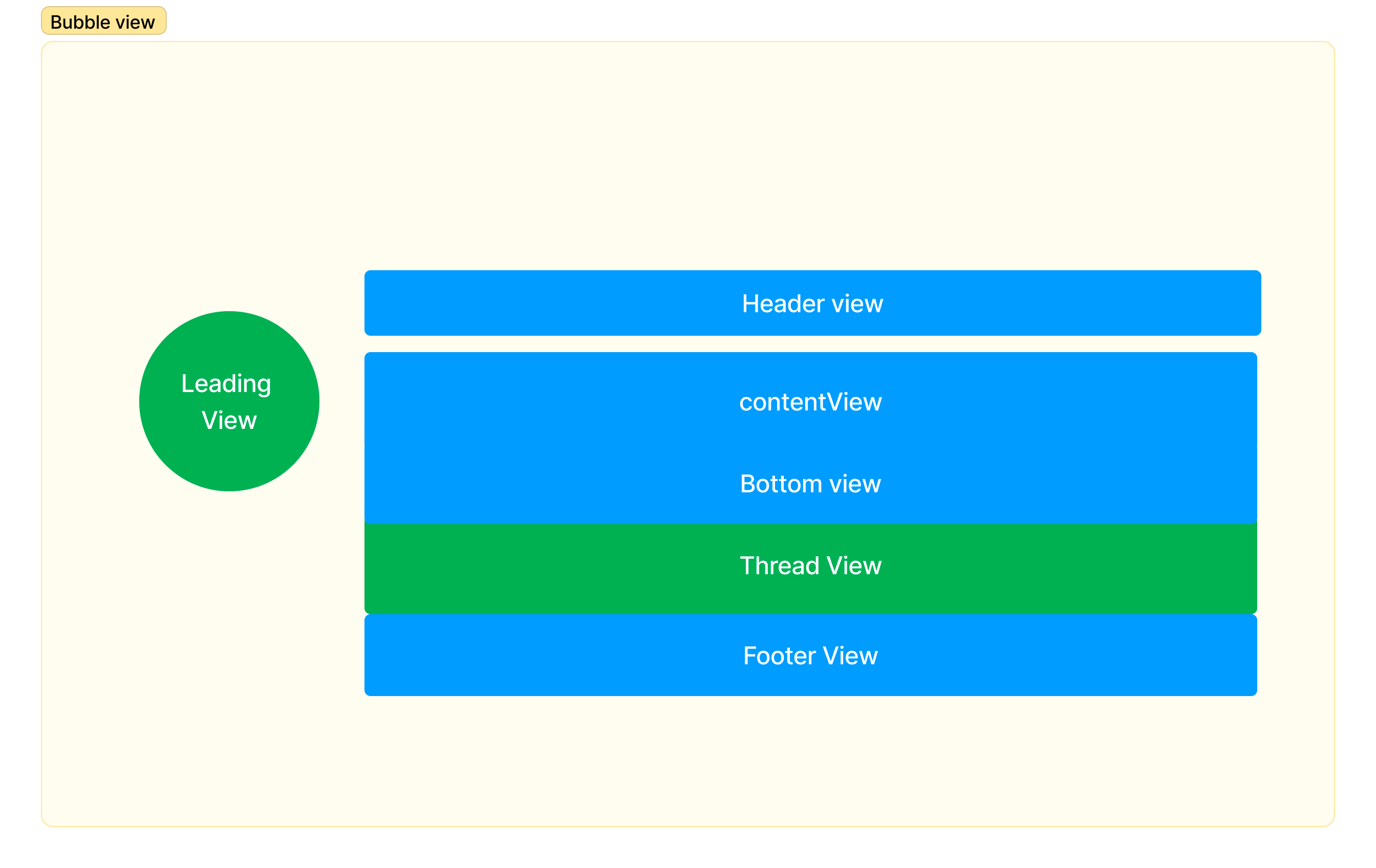
Properties
Built-in support
CometChat UI Kit supports the following message categories and types. Category:message
Type: text, image, video, audio, file
Customisation
To work with templates, you’ll need to import the following classes.- JavaScript
List all available templates
To list all available templates, you can check thegetAllMessageTemplates() from DataSource.
- JavaScript
Customize an existing template
Once you get the list of existing templates, you need to find the one that you are looking to edit.- JavaScript
- JavaScript
Add a new template
To add a new template, you can simply create a new one and add it to the list of existing templates.- JavaScript
Remove a template
Removing a template is also as simple as adding a new template. Find the template that you are looking to remove.- JavaScript
- JavaScript