

Moderation Integration
To maintain a safe, respectful, and engaging environment for your users, our platform offers a powerful Moderation Integration system. This system allows you to automatically review, filter, and take action on user-generated messages, images, and videos before they are delivered. With Moderation Integration, you can define flexible rules, receive real-time updates, and ensure your app meets community guidelines, legal standards, and brand values without manual intervention.Choose Your Integration Method
| Method | Description |
|---|---|
| UI Kit (Recommended) | Zero code required — Moderation is built into CometChat UI Kits. Simply configure rules in the Dashboard and the UI Kit handles everything automatically. |
| SDK Integration | Full control — Use the CometChat SDK to handle moderation programmatically in your custom UI implementation. |
Integrate Moderation
Using UI Kit? You only need Step 1 - the UI Kit handles moderation automatically!
Setup Rules
Define content moderation rules for your app’s messaging system.
Integrate with SDK (optional — if you're not using our UI Kits)
If building a custom UI, implement moderation handling in your code. See SDK Integration below.
Configure Webhooks (Optional)
Set up webhooks to receive real-time moderation events on your server.
Setting Up Moderation Rules
Moderation rules act as filters to ensure that the messages exchanged within your app meet your safety and content guidelines.How It Works
- When a message, image, or video is submitted, it is automatically checked against the moderation rules you’ve configured.
- These rules can detect offensive language, sensitive content, spam, scams, and more.
- Based on your settings, content can be:
- Approved: Delivered to the recipient.
- Disapproved: Blocked and not delivered.
- Flagged: Delivered to the recipient, but flagged for review.
Benefits
- Safety first: Protect your users and brand from harmful or unwanted content.
- Customizable: Fine-tune moderation rules to suit your app’s unique needs.
- Seamless experience: Moderation happens in real time, keeping communication flowing smoothly.
Creating Moderation Rules
CometChat provides a set of default moderation rules designed to cover common use cases such as offensive language, spam, and inappropriate content. You can enable these rules to start moderating messages immediately, without any additional setup.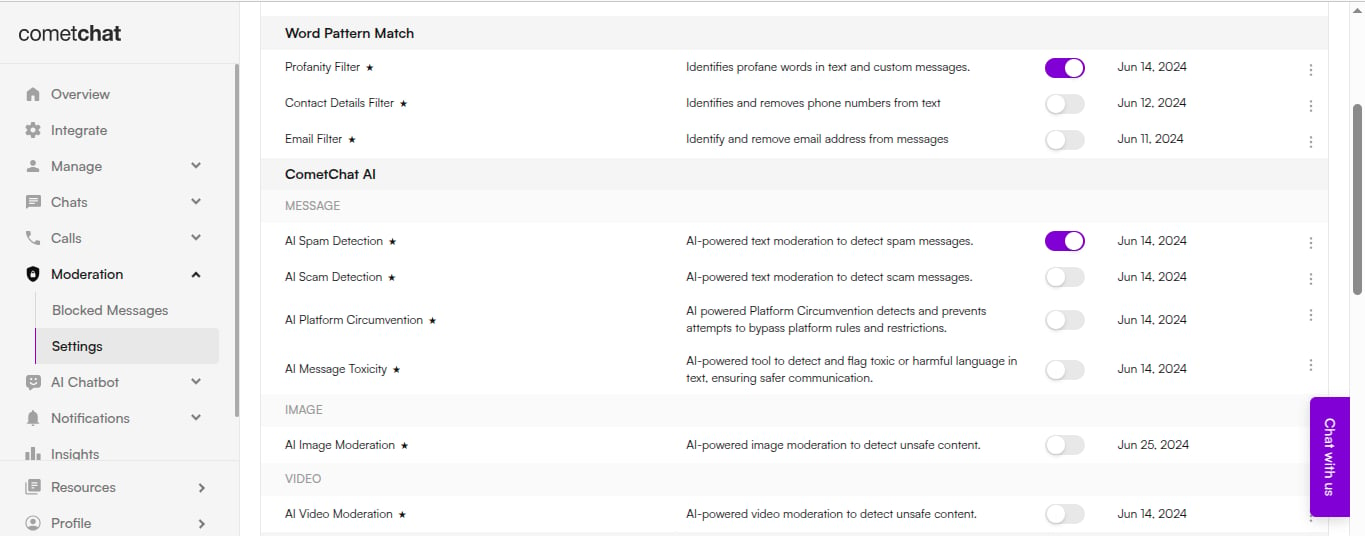
- Using the CometChat Dashboard — A simple, no-code interface for visually creating and managing moderation rules.
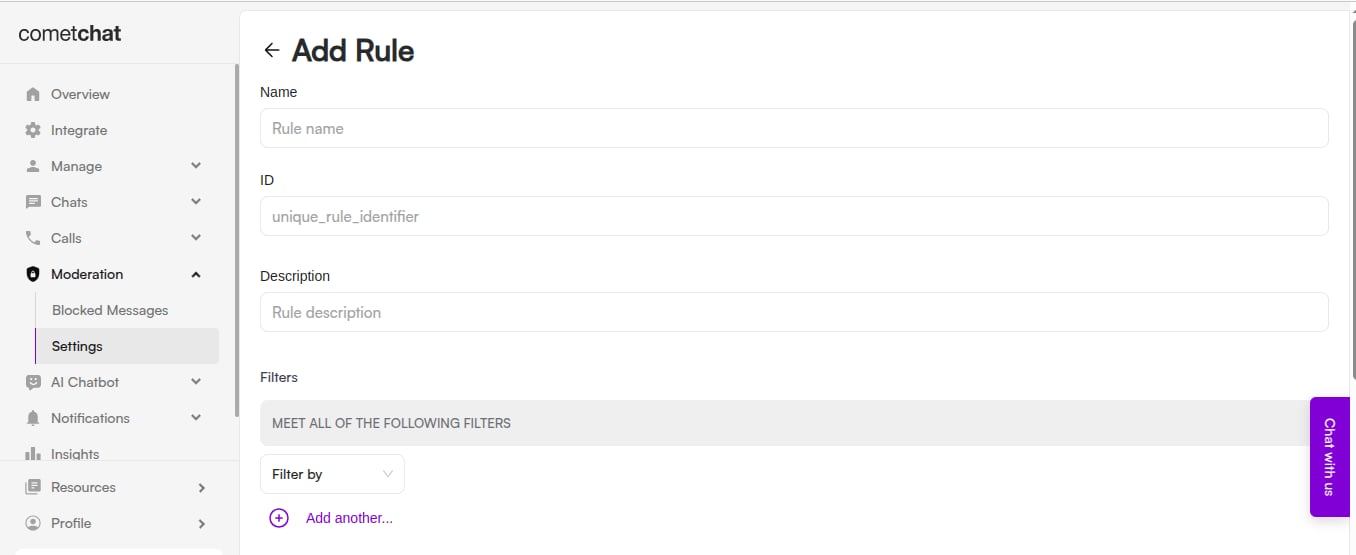
- Using the CometChat API — Programmatically create and manage moderation rules for advanced or automated workflows. See the Rules Management documentation.
Configuring a Moderation Webhook
To automate your moderation flow and receive updates in real time, configure a moderation webhook. This allows your system to react instantly when a message or media is moderated.Webhooks are optional if you’re using the SDK’s
onMessageModerated listener for real-time updates.How It Works
- Every time content is moderated, a webhook event is triggered and sent to the URL you specify.
- Your application can then take action based on the moderation result.
Handle Moderation Events
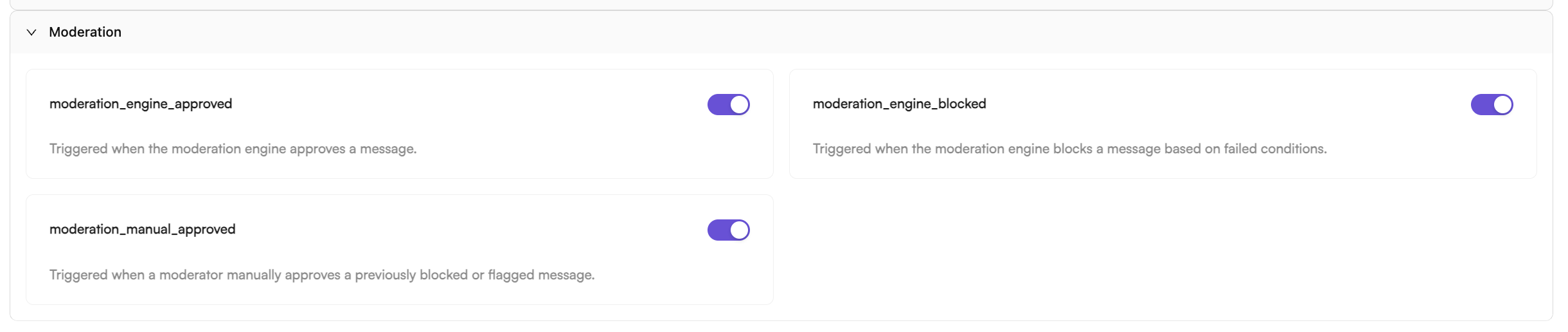
The key webhook events to handle include:moderation_engine_approved— Triggered when the engine automatically approves content.moderation_engine_blocked— Triggered when the engine automatically blocks content.moderation_manual_approved— Triggered when a moderator manually approves previously blocked content.
Application → Webhooks → Create Webhook → Triggers → Moderation
Integrating Moderation with SDK
Once your moderation rules are configured in the Dashboard, integrate moderation into your application using the CometChat SDK. The SDK automatically handles moderation for all messages sent through CometChat.Using UI Kit? Skip this section - the UI Kit handles everything automatically!
Send a Message and Check Moderation Status
When you send a message, it’s automatically checked against your moderation rules. The message object contains amoderationStatus property:
- JavaScript
- Android (Kotlin)
- iOS (Swift)
- React Native
- Flutter
Listen for Moderation Results
Register a message listener to receive real-time moderation updates when the moderation engine finishes processing:- JavaScript
- Android (Kotlin)
- iOS (Swift)
- React Native
- Flutter
Handle Blocked Messages in UI
When a message is blocked (disapproved), handle it appropriately in your UI:- JavaScript
- Android (Kotlin)
- iOS (Swift)
Moderation Status Reference
| Status | Value | Description |
|---|---|---|
| Pending | PENDING | Message is being processed by moderation engine |
| Approved | APPROVED | Message passed moderation and is visible to recipients |
| Disapproved | DISAPPROVED | Message violated rules and was blocked |
Summary
By combining well-defined moderation rules with SDK integration, you can build a safe and user-friendly content moderation system:- UI Kit users: Just configure rules in the Dashboard - everything else is automatic
- SDK users: Implement
onMessageModeratedlistener to handle moderation results