

AI Integration Quick Reference
AI Integration Quick Reference
Where It Fits
CometChatCallLogs is a Component that shows the list of Call Logs available. By default, names are shown for all listed users, along with their avatars if available.
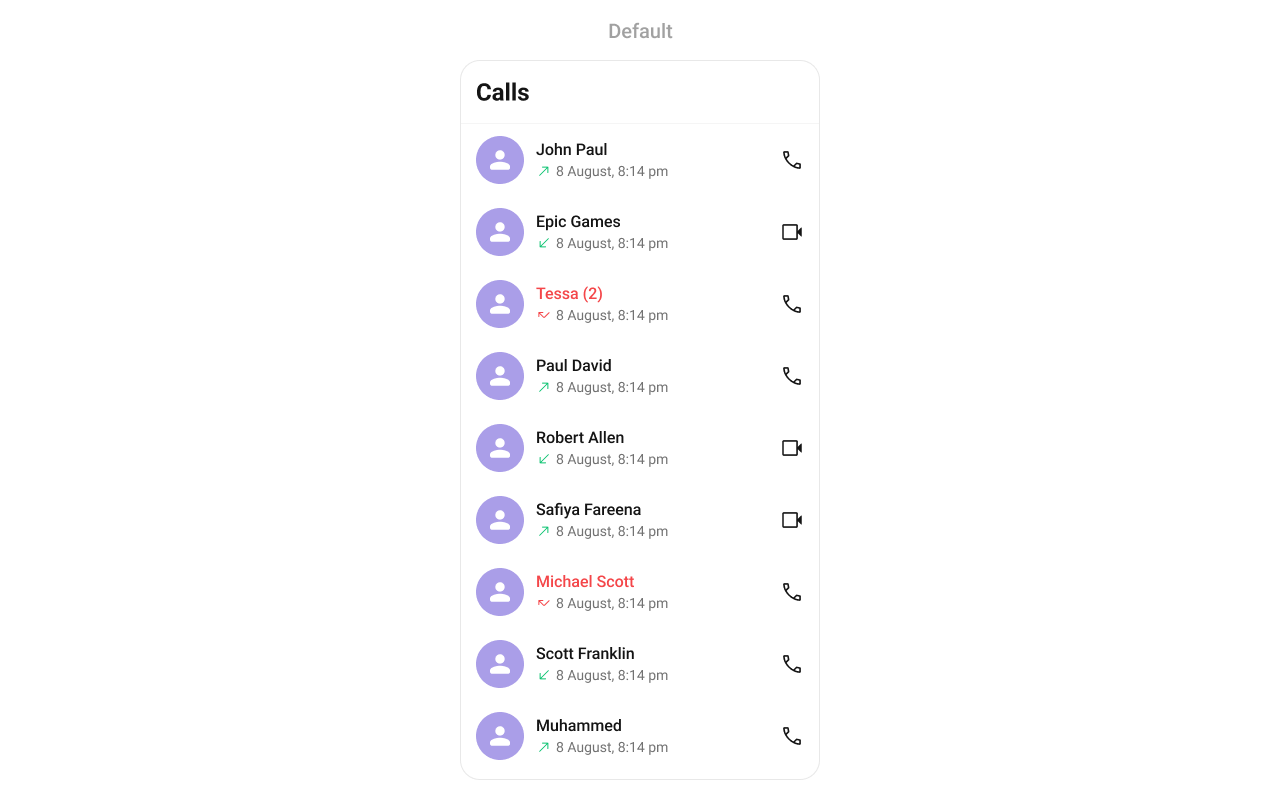
Minimal Render
Filtering Call Logs
Pass aCallLogRequestBuilder to callLogRequestBuilder. Pass the builder instance — not the result of .build().
Filter Recipes
Actions and Events
Callback Props
onItemPress
Fires when a call log row is tapped. By default initiates a call to the participant.onItemLongPress
Fires when a call log item is long-pressed, allowing additional actions like delete or select.onCallIconPress
Fires when the call icon is pressed.onBack
Fires when the back button in the app bar is pressed.onError
Fires on internal errors (network failure, auth issue, SDK exception).onLoad
Fires when the list is successfully fetched and loaded.onEmpty
Fires when the call log list is empty.Custom View Slots
Each slot replaces a section of the default UI. Slots that accept a call parameter receive the call log object for that row.LoadingView
Custom view displayed when data is being fetched.EmptyView
Custom view displayed when there are no call logs.ErrorView
Custom view displayed when an error occurs.ItemView
Custom view for the entire list item row.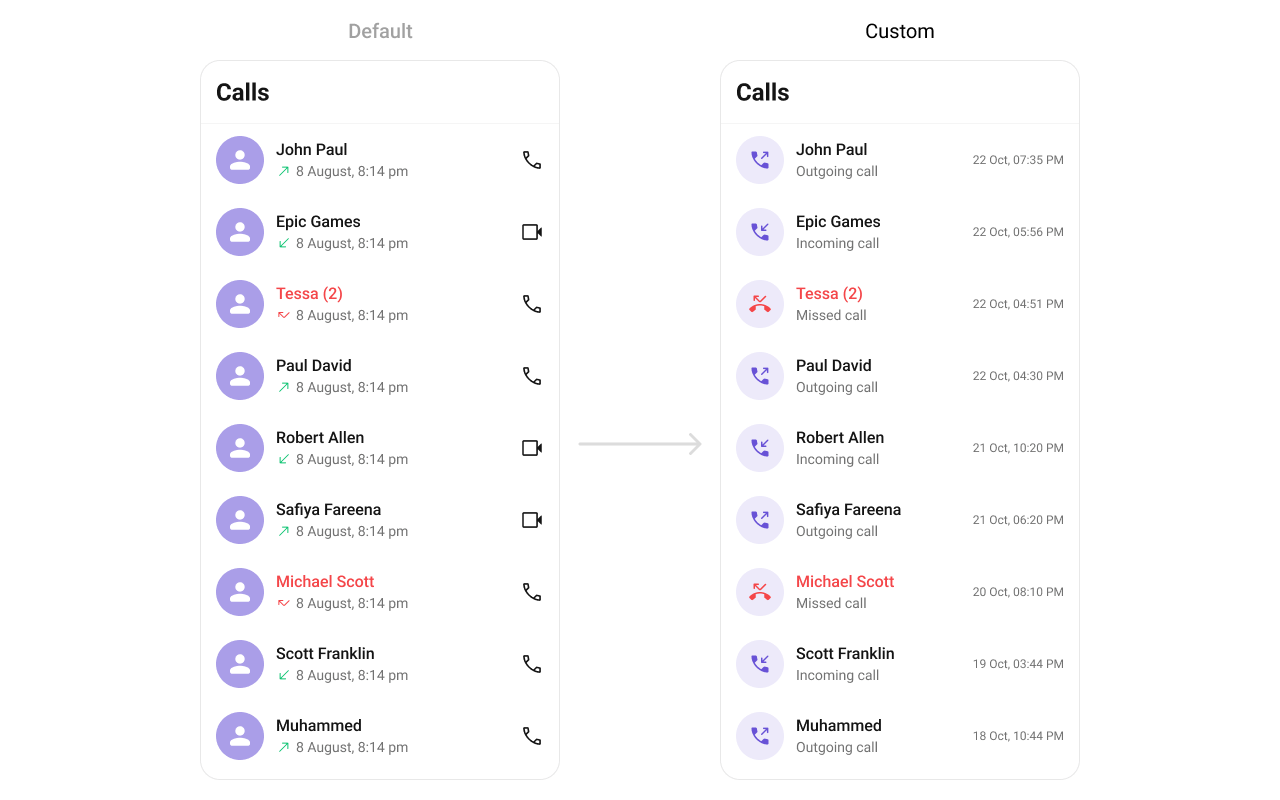
SubtitleView
Custom view for the call type / details.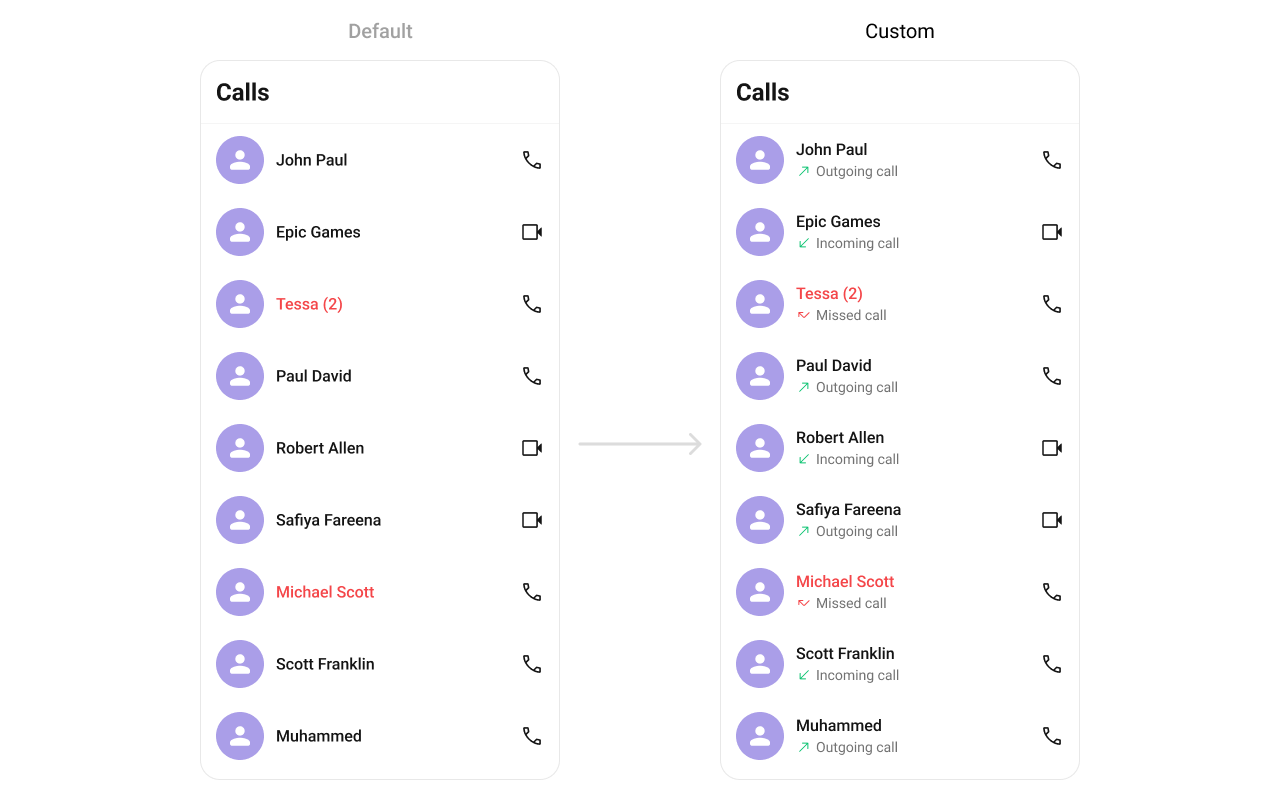
TrailingView
Custom view for the duration / right section.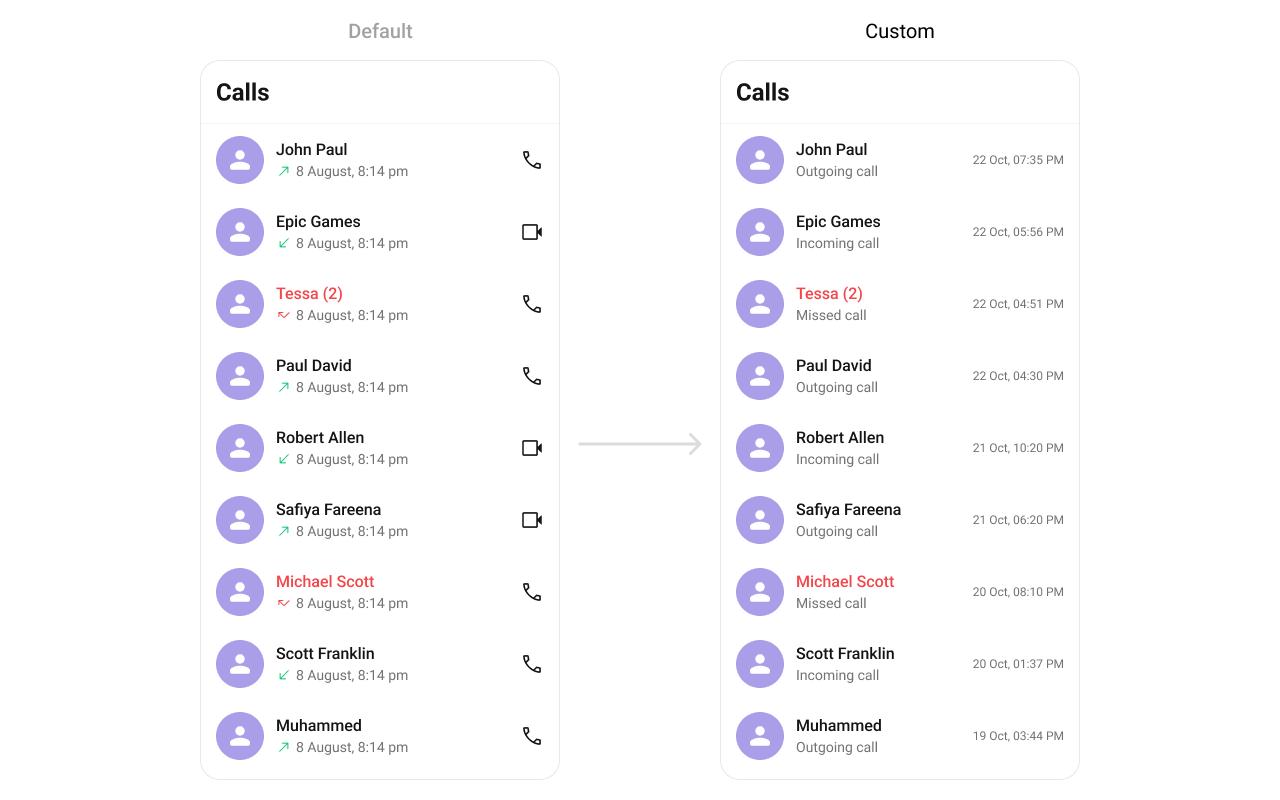
AppBarOptions
Custom view for the header bar options.Styling
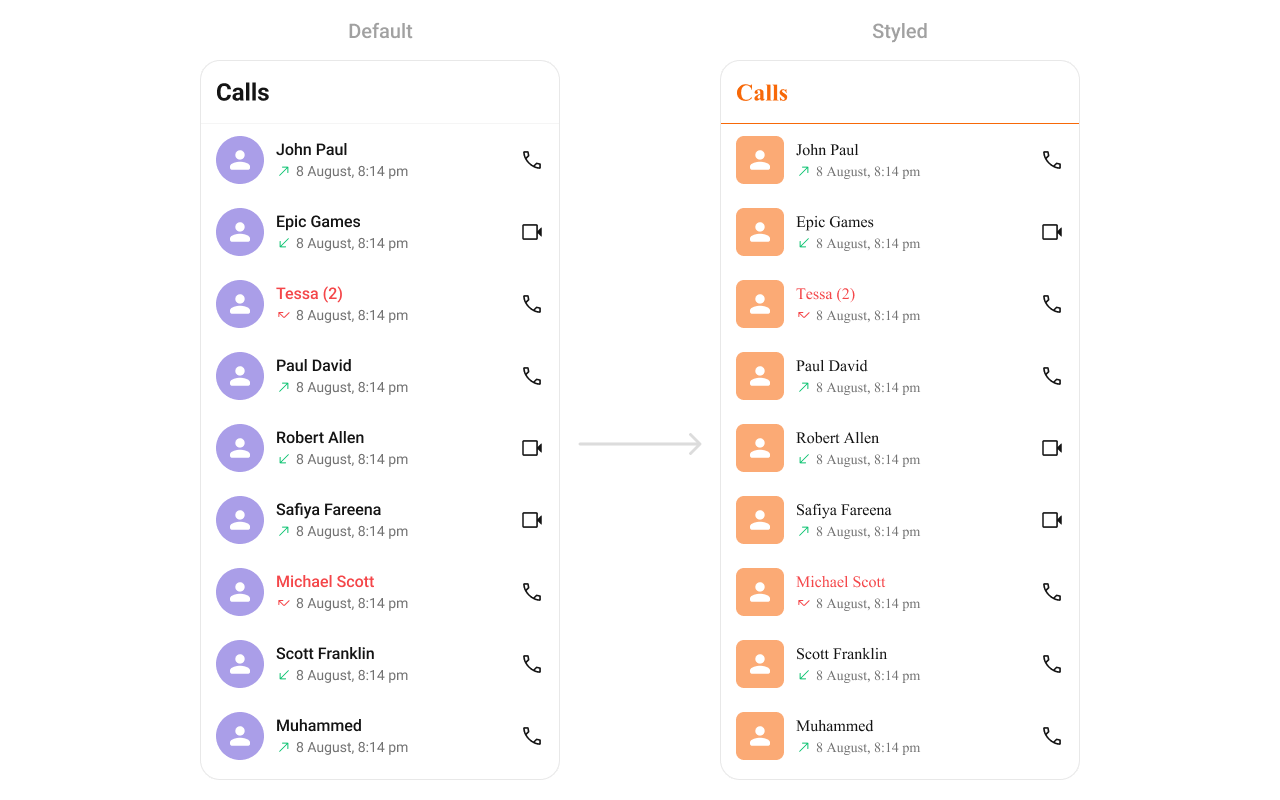
Using Style you can customize the look and feel of the component in your app. Pass a styling object as a prop to theCometChatCallLogs component.
Visibility Props
Outgoing Call Configuration
You can customize the properties of the OutGoing Call by making use of theoutgoingCallConfiguration prop:
Next Steps
Incoming Call
Display and handle incoming calls
Outgoing Call
Display and manage outgoing calls
Call Buttons
Add voice and video call buttons to your UI
Call Features
Overview of all calling features