

AI Integration Quick Reference
AI Integration Quick Reference
Where It Fits
CometChatMessageList renders a scrollable, real-time message feed for a user or group conversation. Wire it alongside CometChatMessageHeader and CometChatMessageComposer to build a standard chat view.
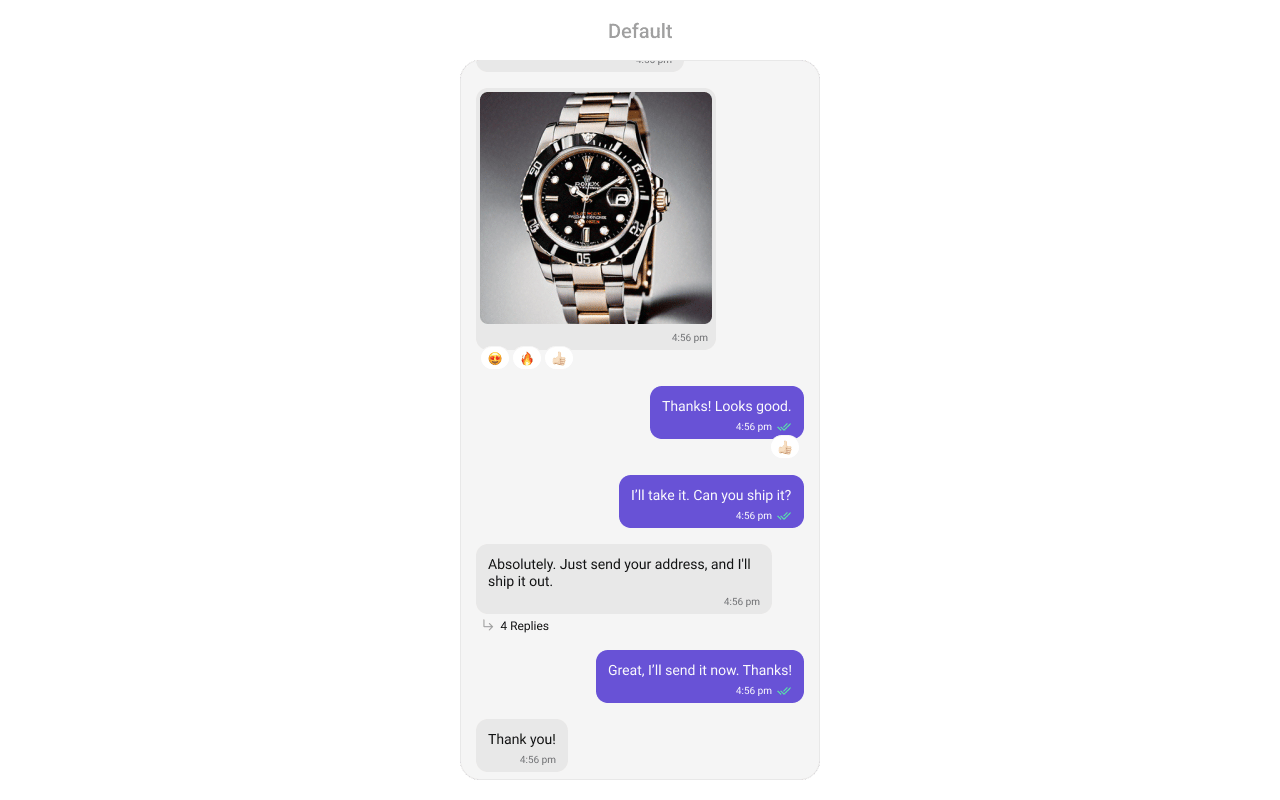
Minimal Render
Filtering Messages
Pass aCometChat.MessagesRequestBuilder to messageRequestBuilder. The UID/GUID parameters are always overridden internally based on the user/group prop.
The following parameters in messageRequestBuilder will always be altered inside the message list:
- UID
- GUID
- types
- categories
Actions and Events
Callback Props
onThreadRepliesPress
Fires when you press on the threaded message bubble.onError
Fires on internal errors (network failure, auth issue, SDK exception).onReactionPress
Fires when a reaction on a message bubble is clicked.onLoad
Fires when messages are successfully fetched and loaded.Global UI Events
CometChatUIEventHandler emits events subscribable from anywhere in the application. Subscribe in a useEffect and unsubscribe on cleanup.
SDK Events (Real-Time, Automatic)
The component listens to these SDK events internally. No manual attachment needed unless additional side effects are required.Custom View Slots
Each slot replaces a section of the default UI.HeaderView
Custom view above the message list.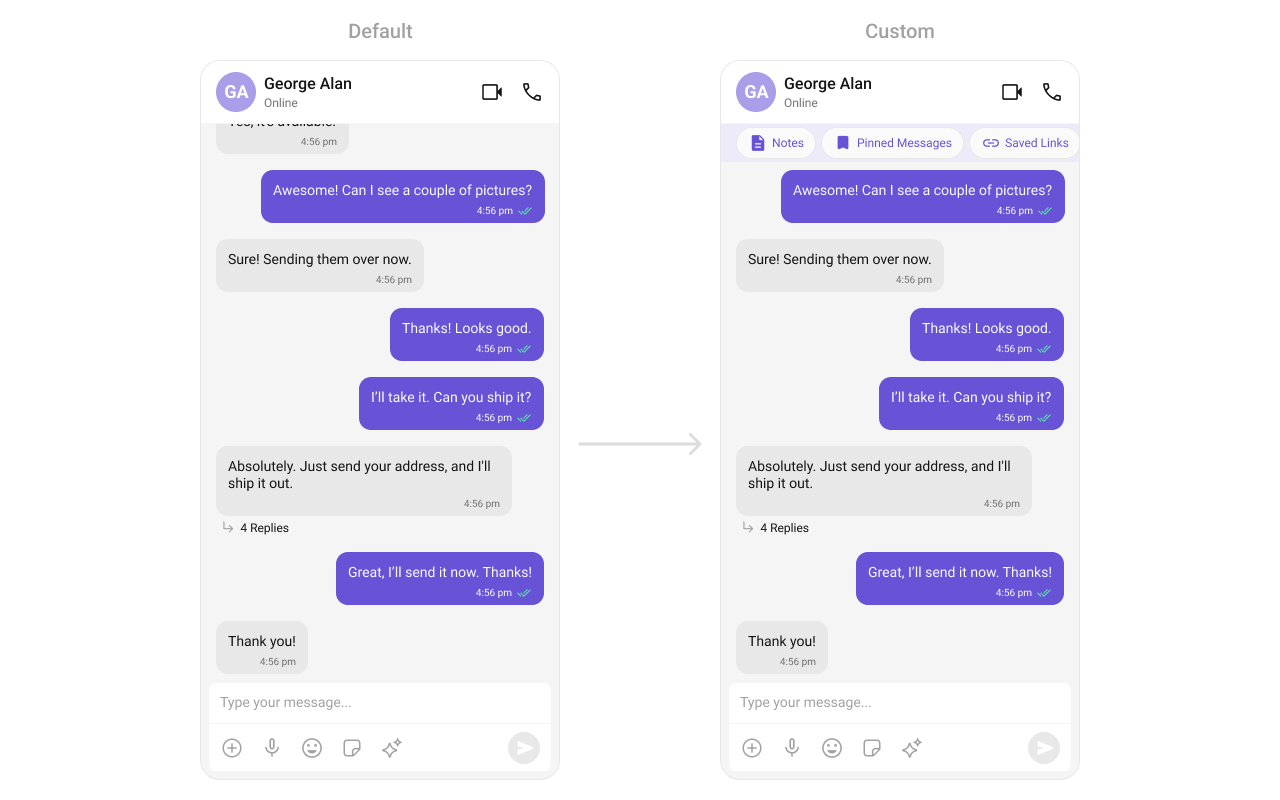
FooterView
Custom view below the message list.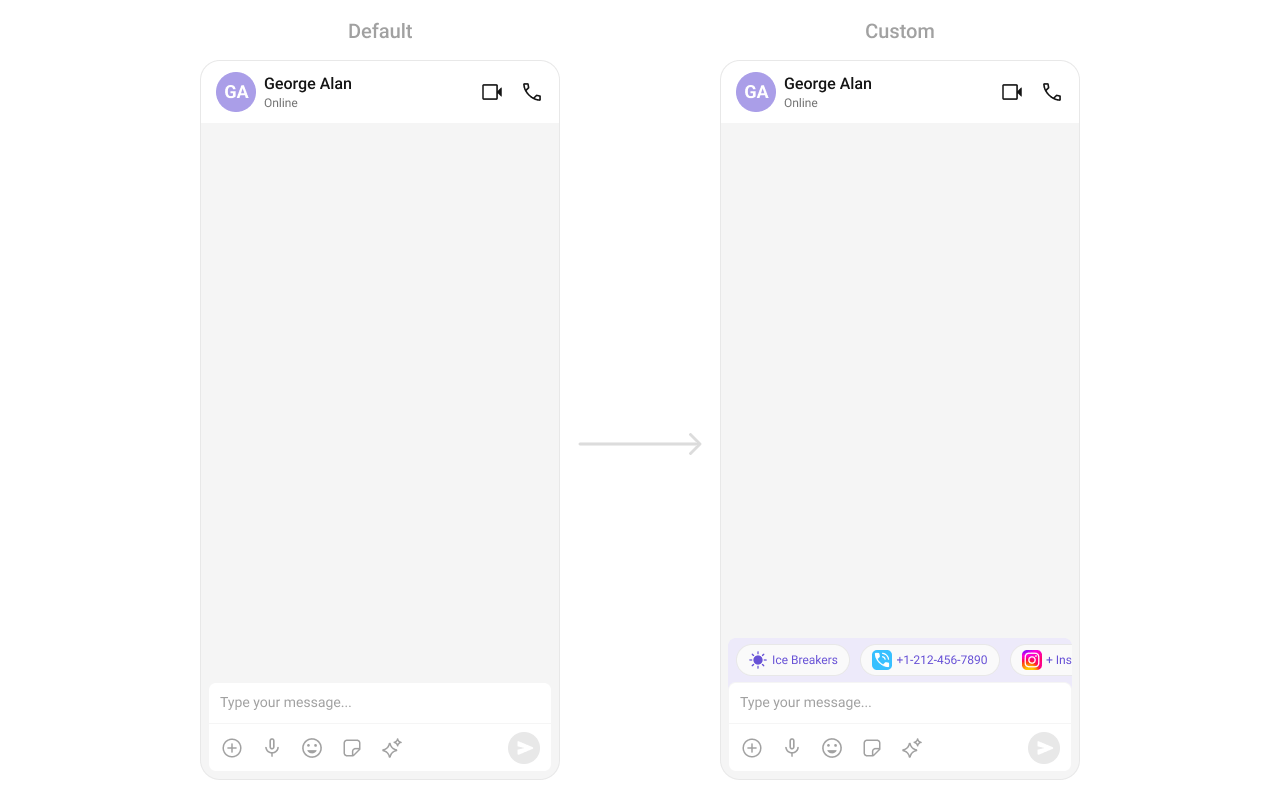
templates
Custom message bubble templates via CometChatMessageTemplate.dateSeperatorPattern
Custom format for displaying sticky date separators.datePattern
Custom format for message timestamps.textFormatters
Custom text formatters for message content.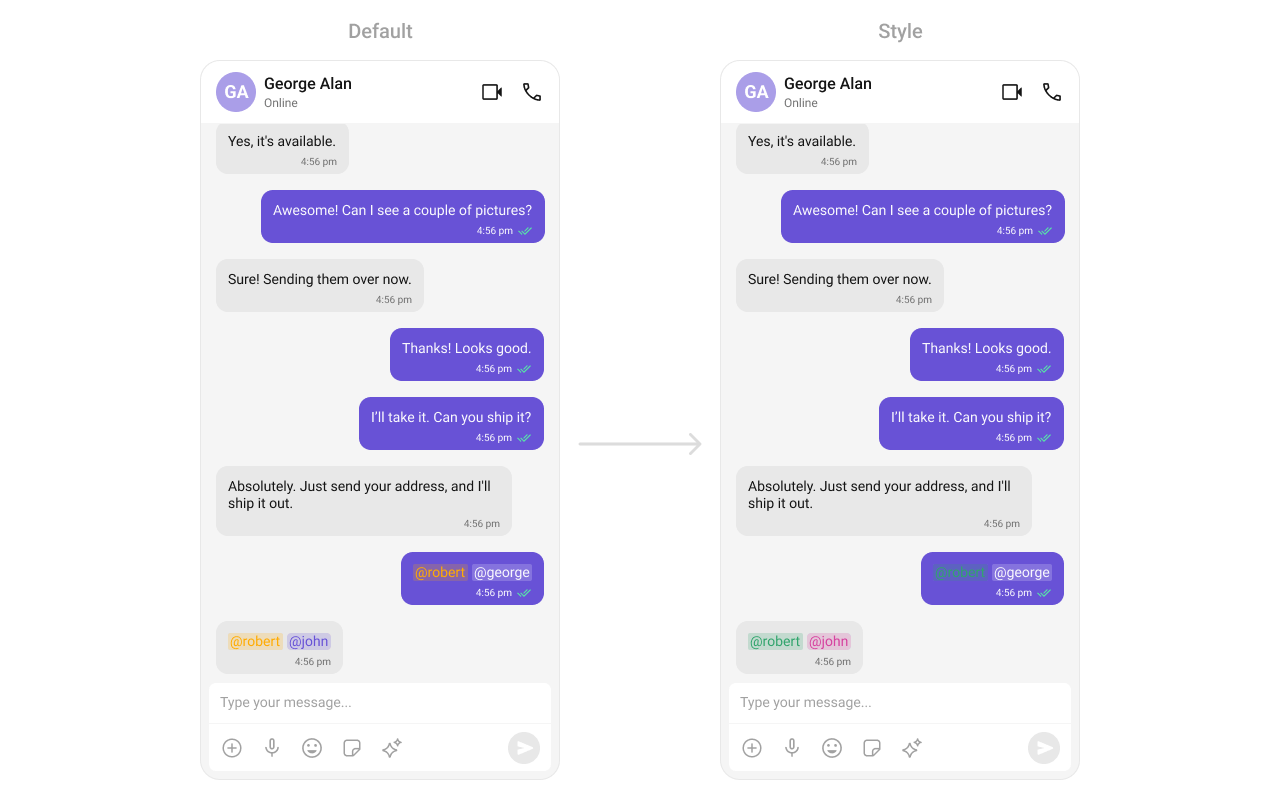
Common Patterns
Threaded message list
Hide all chrome — minimal list
Left-aligned messages
AI conversation starters
Navigate to specific message
Load last agent conversation
Resume the most recent AI agent conversation on start:Styling
The component uses the theme system fromCometChatThemeProvider. Pass a style prop to customize the appearance.
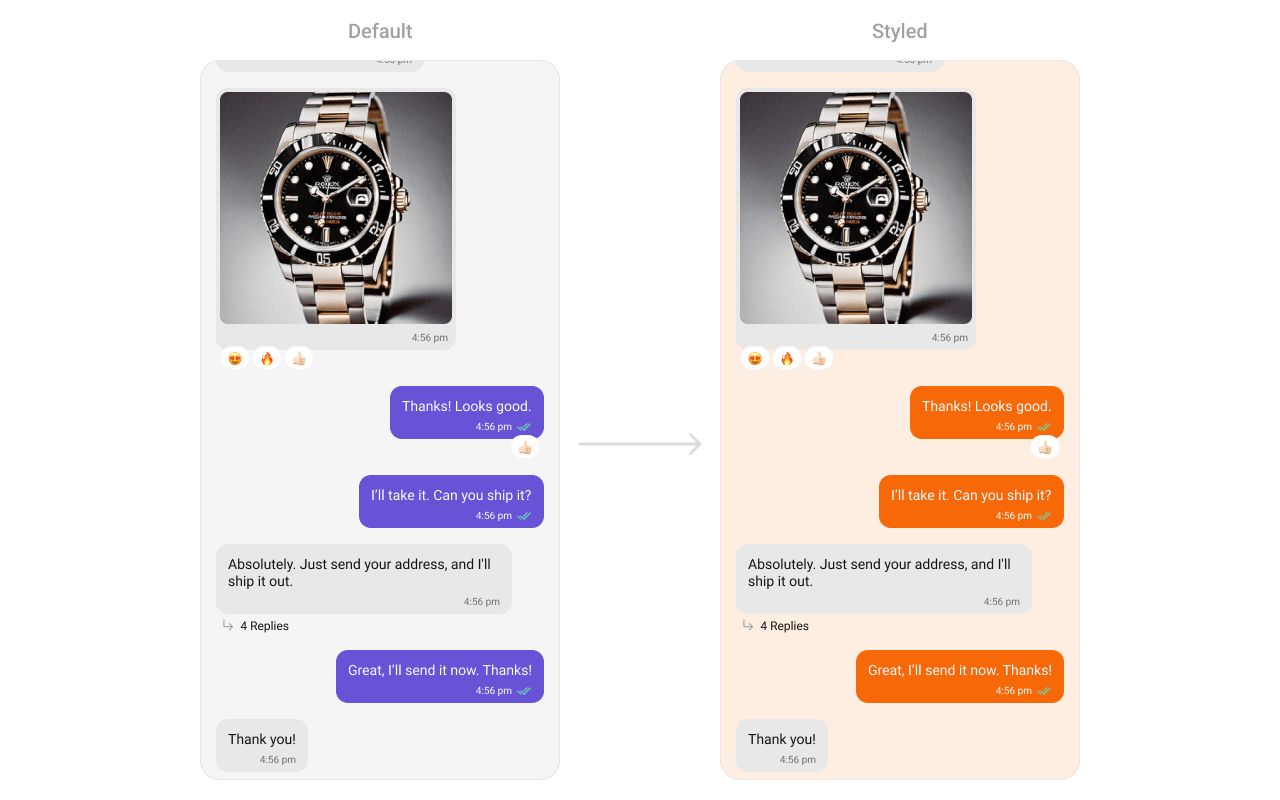
Style Properties
Props
All props are optional unless noted. Eitheruser or group is required.
alignment
Controls message alignment.avatarVisibility
Shows/hides avatars on messages.customSoundForMessages
Custom sound file for incoming message notifications.datePattern
Custom function to format message timestamps.dateSeperatorPattern
Custom function to format date separator timestamps.disableSoundForMessages
Disables the notification sound for incoming messages.EmptyView
Custom component displayed when there are no messages.ErrorView
Custom component displayed when an error occurs.FooterView
Custom component displayed below the message list.goToMessageId
Scrolls to the specified message on initial load.group
The group for group conversation messages.HeaderView
Custom component displayed above the message list.hideCopyMessageOption
Hides the copy message option.hideDeleteMessageOption
Hides the delete message option.hideEditMessageOption
Hides the edit message option.hideError
Hides the error state view.hideFlagMessageOption
Hides the “Report Message” option.hideFlagRemarkField
Hides the remark text area in the flag message dialog.hideGroupActionMessages
Hides group action messages (join, leave, kick, etc.).hideMessageInfoOption
Hides the message info option.hideMessagePrivatelyOption
Hides the “Message Privately” option.hideModerationStatus
Hides the moderation status UI.hideReactionOption
Hides the reaction option.hideReplyInThreadOption
Hides the “Reply in Thread” option.hideReplyOption
Hides the reply option.hideShareMessageOption
Hides the share message option.hideSuggestedMessages
Hides suggested messages in AI view.hideTimestamp
Hides timestamps on messages.hideTranslateMessageOption
Hides the translate message option.loadLastAgentConversation
Automatically loads the most recent agent conversation when set totrue.
LoadingView
Custom component displayed during the loading state.messageRequestBuilder
Controls which messages load and in what order.
UID/GUID are always overridden internally.
NewMessageIndicatorView
Custom view for the “New Messages” indicator.onAddReactionPress
Callback fired when the “Add More Reactions” button is clicked.onEmpty
Callback fired when the message list is empty.onError
Callback fired when the component encounters an error.onLoad
Callback fired when messages are loaded.onReactionLongPress
Callback fired when a reaction is long-pressed.onReactionPress
Callback fired when a reaction is clicked.onSuggestedMessageClick
Callback fired when a suggested message is clicked.onThreadRepliesPress
Callback fired when a threaded message reply count is clicked.parentMessageId
Displays threaded conversation for the specified parent message.quickReactionList
Custom list of quick reactions.receiptsVisibility
Shows/hides read/delivery receipt indicators.scrollToBottomOnNewMessage
Auto-scrolls to bottom when new messages arrive.searchKeyword
Keyword to highlight in message text.showMarkAsUnreadOption
Shows “Mark Unread” option in message actions.startFromUnreadMessages
Loads from the first unread message if available.suggestedMessages
Predefined prompts for AI assistant chats.templates
Custom message bubble templates. Replaces all default templates.addTemplates
Additional message templates to append to the default templates.newMessageIndicatorStyle
Custom styles for the “New Messages” indicator.newMessageIndicatorText
Custom text for the “New Messages” indicator.streamingSpeed
Speed in milliseconds for AI response streaming animation.aiAssistantTools
Tool actions for AI assistant functionality.textFormatters
Custom text formatters for message content.user
The user for 1-on-1 conversation messages.Next Steps
Message Header
Display user or group details in the chat toolbar
Message Composer
Compose and send messages in a chat
Messages
Complete messaging interface with header, list, and composer
Component Styling
Customize the appearance of UI Kit components